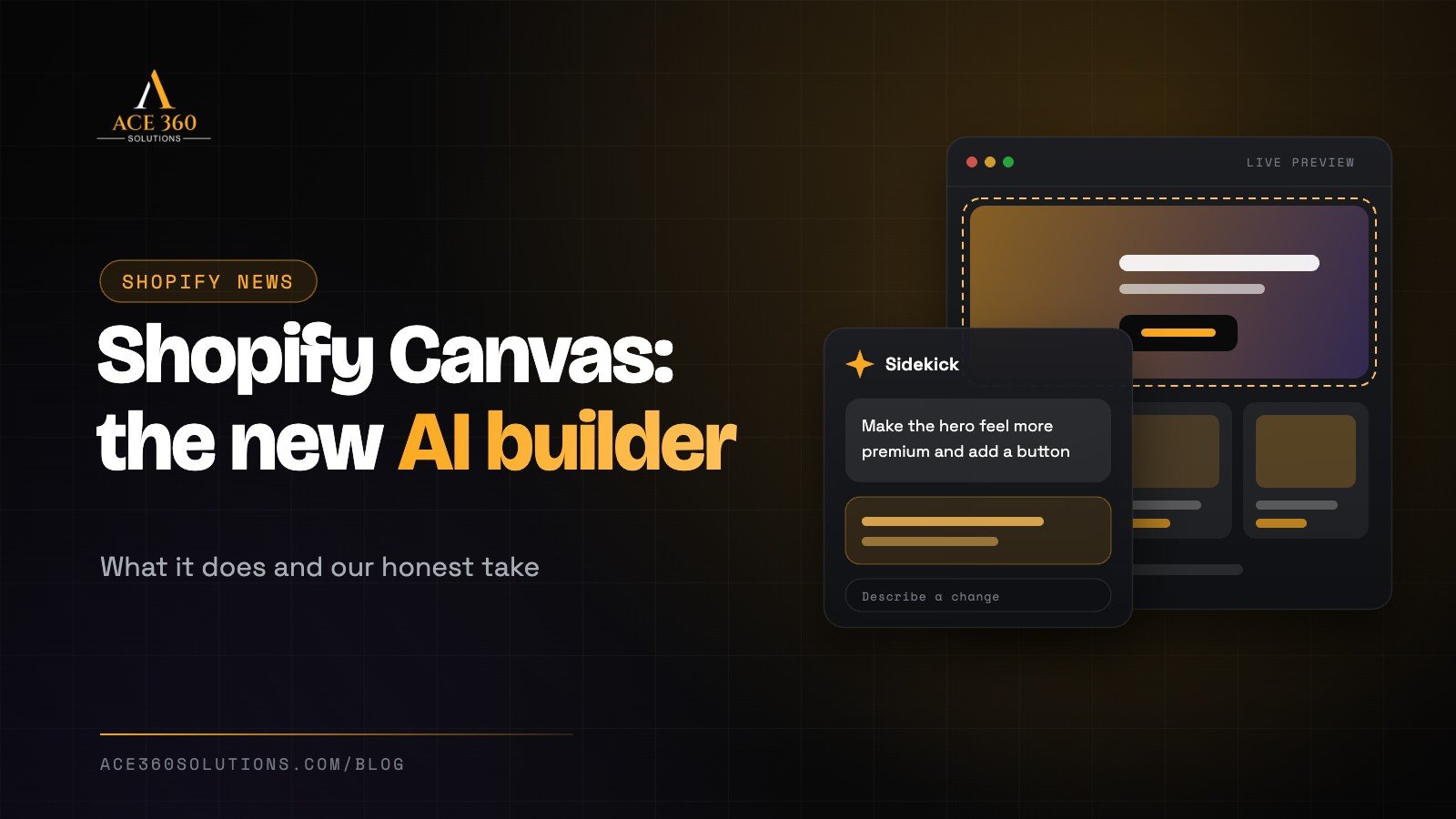
On October 1, 2026, Shopify introduced Shopify Canvas, a new way to build and customise an online store by chatting with AI. Instead of dragging sections around a theme editor or hiring a developer for every change, merchants can describe what they want, and Shopify’s AI assistant, Sidekick, makes the changes while they watch.
It’s one of the biggest changes to how Shopify stores are built in years, so naturally we’ve had a lot of questions from clients. What is it? Is it any good? And does it mean you no longer need a designer? Here’s our honest take.
What is Shopify Canvas?
Shopify Canvas is a site building workspace that lets you set up and customise your store by talking to Sidekick, Shopify’s built in AI assistant. You type a request, such as “make the homepage feel more premium” or “add a section showing customer reviews under the hero”, and Sidekick edits the store. Canvas shows the result in real time.
Until now, Shopify’s no code editor mainly let you rearrange sections and blocks within the theme you’d chosen. Anything deeper usually needed code or a developer. Canvas aims to close that gap.
How Shopify Canvas works
According to Shopify’s launch details, as reported by TechCrunch:
- You chat, Sidekick builds. Changes are made in response to your requests in plain language.
- Live preview of real code. The preview isn’t a static mockup. It renders your store’s actual code, so you can test animations and interactions.
- Zoom out and in. You can pan across the whole store to see the overall design, or zoom into specific details.
- Multiple screen sizes. You can check how pages look on different devices.
- Sidekick checks its own work. It takes screenshots of what it has built so it can see what you see.
- Manual control is still there. You can click on individual elements and edit them directly.
To make this possible, Shopify gave Sidekick direct access to theme files and simplified its theme structure so the AI can understand and change a store’s layout, logic and design more easily.
What Shopify Canvas can’t do yet
Canvas is new, and Shopify has been clear that some features aren’t included at launch. At the time of writing:
- It works on desktop only.
- Third party themes aren’t supported yet.
- App blocks and extensions aren’t supported yet.
- Markets, translations, rollouts and theme updates aren’t included yet.
Shopify says it plans to add these over time. For now, that’s important if your store relies on a premium theme from another developer, apps that add blocks to your pages, or selling in multiple countries and languages.
The benefits for store owners
- Faster changes. Small design tweaks that used to wait for a developer can happen in minutes.
- Lower barrier to entry. New merchants without a design or coding background can build something that looks professional.
- Easier experimenting. You can try ideas like a new homepage layout or product page section without committing to a big project.
- More control. You can see exactly what’s changing as it happens.
The limits worth knowing about
AI tools are very good at producing something that looks nice. They’re less reliable at knowing what will actually make your business more money. A few things to keep in mind:
- Design isn’t strategy. A beautiful layout won’t fix an unclear offer, weak product photos or confusing navigation. The thinking behind the design still matters.
- Every change affects sales. A layout change that looks better can still convert worse. Test changes and watch your numbers.
- Speed can suffer. Adding lots of sections, animations and effects can slow a store down, especially on mobile.
- Brand consistency takes care. Many quick AI edits over time can leave a store feeling inconsistent.
- Complex stores need more. Custom features, integrations, multiple markets and heavily customised themes still need experienced developers, especially while Canvas is in its early days.
Do you still need a Shopify designer?
For a brand new store with a simple catalogue and a tight budget, Canvas is a genuinely useful way to get started. Tools like this make it easier than ever to launch.
But for established brands, the hard part of a high performing store has never really been moving sections around. It’s understanding your customers, structuring your store so people find what they want, writing product pages that sell, keeping the site fast and building trust. Our article on what professional Shopify store design services include breaks this down in detail, and our guide to increasing your Shopify conversion rate shows the kinds of changes that actually move sales.
We see Canvas as a tool that will make good designers and store owners faster, rather than a replacement for strategy and experience.
How to get the best results from Shopify Canvas
- Duplicate your theme first. Work on a copy so you can experiment without affecting your live store.
- Be specific in your requests. “Add three customer reviews with star ratings below the product images” works better than “make it better”.
- Keep your brand guidelines handy. Tell Sidekick your fonts, colours and tone of voice so changes stay consistent.
- Check mobile every time. Most of your customers will see your store on a phone.
- Test speed after big changes. Run your key pages through Google PageSpeed Insights.
- Measure the impact. Compare conversion rate, add to cart rate and revenue before and after.
- Avoid big changes right before a sale. If you’re preparing for peak season, our Black Friday 2026 checklist explains why it’s wise to freeze major changes the week before.
Is Shopify still the right platform?
Canvas strengthens Shopify’s position as one of the easiest platforms for selling online. If you’re still deciding between platforms, our Shopify vs WordPress comparison explains which one suits different types of businesses.
Want an expert eye on your Shopify store?
Whether you want to make the most of Shopify Canvas or need a fully custom store built for growth, Ace 360 Solutions can help. We design, build and optimise Shopify stores that look great and convert visitors into customers. Explore our Shopify and ecommerce services, see our UI/UX design approach, or get a free quote today.
Frequently asked questions
What is Shopify Canvas?
Shopify Canvas is a site building tool launched in October 2026 that lets merchants build and customise their Shopify store by chatting with Sidekick, Shopify’s AI assistant, with changes shown in a live preview.
Is Shopify Canvas free?
Shopify’s launch coverage didn’t mention separate pricing. Check your Shopify admin and Shopify’s official announcements for current availability on your plan.
Can I use Shopify Canvas with my current theme?
At launch, Canvas doesn’t support third party themes, app blocks or extensions. If your store uses a premium theme from another developer, you may need to wait for future updates.
Will Shopify Canvas replace web designers?
It will change how many stores are built and make small edits much faster. But strategy, conversion optimisation, custom functionality and brand consistency still benefit from experienced designers and developers.

admin
Part of the Ace 360 Solutions team — helping brands grow with high-performance websites, SEO and paid media.